Screenwriting with AI without exposing your unproduced script
An unproduced script means months of work and an idea that must not get around. AI can be an excellent first reader, as long as you choose where it reads.
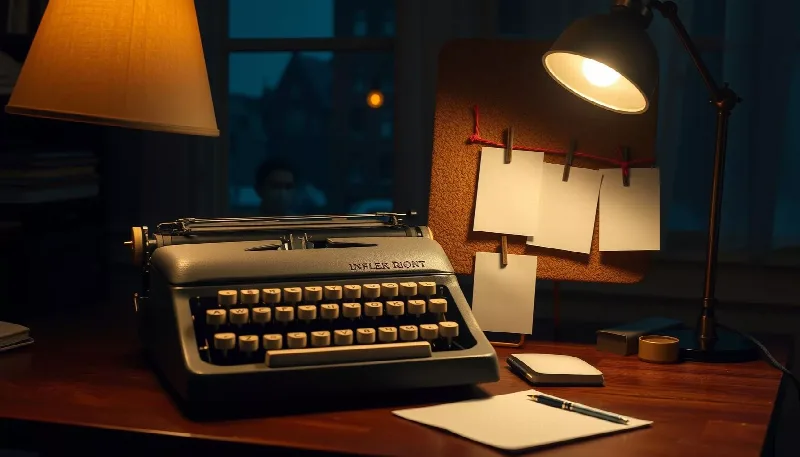
An unproduced script means months of work and an idea that must not get around. AI can be an excellent first reader, as long as you choose where it reads.
Many screenwriters keep AI at arm's length, and it is easy to see why. An unproduced project is an idea, a world, characters and months of rewrites. Sending it to a consumer tool when you know neither where it keeps your text nor who can access it is a risk nobody wants to take before the deal is signed.
And yet AI can be genuinely useful to a writer: not by writing in your place, but by reading fast, remembering everything and asking the questions an attentive reader would ask. This guide shows you how to use it that way, without letting your project circulate.
Let's be honest: an AI has no authorial voice, and its suggestions for dialogue or plot twists tend towards the predictable. Ask it to write your screenplay and you will get an average script. In four roles, however, it is very useful.
The continuity reader. Over a 120-page feature or a full season of a series, it is easy to lose track: a character who knows something too early, a date that doesn't add up, a prop that reappears after being destroyed. AI spots these gaps quickly.
The keeper of the bible. It can keep each character's profile up to date, with their traits, their arc and their key lines, and bring it back to you exactly when you need it.
The summariser. A one-line logline, a one-page synopsis, a ten-page treatment: it produces first drafts that you rework, which saves you from the blank page when a producer asks for a document by next week.
The devil's advocate. Ask it where the plot loses steam, which scene could go without loss, what a script reader or funding committee might misunderstand. It does not replace real notes, but it clears the ground.
1. One space per project. In IA Confidential, create a space for your film or series, using the "Writing" type. All the project's conversations are kept there: one for structure, one for each lead character, one for dialogue. You pick up the thread from one session to the next.
2. Instructions that set up the world. In the space's Assistant tab, describe the project once and for all: genre, period, tone, main characters and what must never change. Add your working rule, for example: "Never rewrite my dialogue, only give notes." These instructions apply to every conversation in the space.
3. The script stays on your computer. On a computer, with Chrome, Edge or Opera, you can add the folder containing your successive drafts to the space, ticking the "Confidential models" option: the folder is then never sent to an external model. The assistant finds the relevant passages there when you ask it a question. You can also simply attach the current draft to your message.
4. Models that stay in Switzerland. By default, your requests are handled by open models installed on servers in Switzerland, which pass nothing on to third parties. For an unproduced project, stay with them.
5. Documents ready to send. Synopsis, character notes, episode summaries: the assistant writes them as documents that you can edit and then export to Word or OpenDocument. For the screenplay itself, keep your usual screenwriting software: the export does not reproduce standard screenplay formatting.
A rewriting session can last hours and run to dozens of exchanges. IA Confidential automatically lightens the context sent to the model: the recent exchanges plus a summary of the earlier ones. Answers stay relevant even late in the conversation. When a conversation gets really long, you can also compact it and start again from a clean base, without losing what matters.
With the confidential models, your script and your exchanges are processed on servers located in Switzerland, and nothing is kept on our side. The conversation history lives in your browser: we can neither read it nor pass it on. A folder added with the "Confidential models" option is never sent to an external model.
Two precautions remain up to you. Since the history lives in your browser, back it up to a file if you change computers or clear your browser. And nothing replaces registering your script with a writers' guild or copyright registration service to date your work.
Here are scenes 1 to 40 of my screenplay. Build me a continuity log: for each main character, what they know at the end of each scene, and flag any scene where a character acts on information they are not supposed to have. Don't suggest any rewrites, only notes, with the scene number.
You can follow up with: "Now do the same for props and locations."
Writers are not the only ones asking the question: our advice on using AI at work safely applies to a fiction project too.
To try it out on a single scene: open the chat.