Switching AI assistants should not mean starting from scratch. After months of use, your ChatGPT history holds drafts, research and answers you kept for later. This tool brings them into IA Confidential, gathered in a space of their own.
How it works
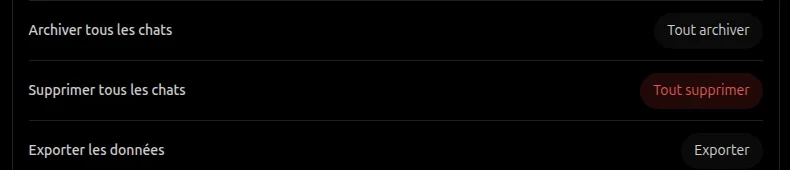
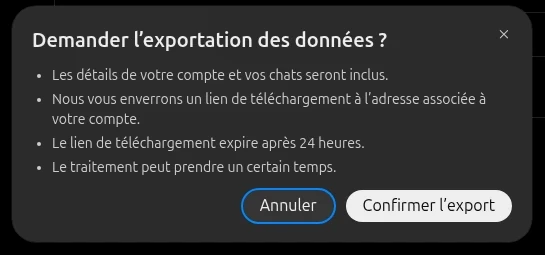
1. You ask ChatGPT for the export. Click your profile picture, then "Settings". The "Data controls" section lets you export your data. You confirm, and its publisher prepares a file with your whole history.
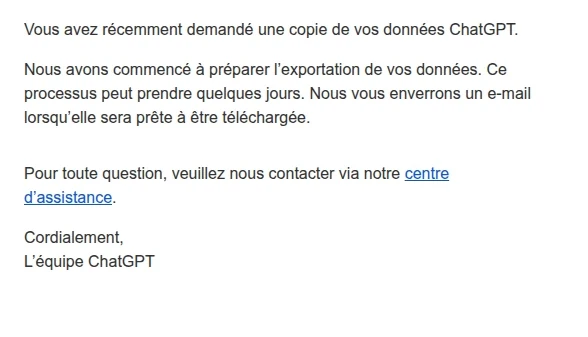
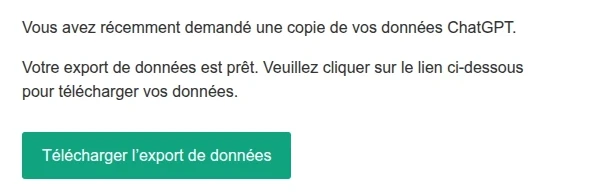
2. You wait for its email. Preparing it can take a few days. A first email says it has started, a second one gives the download link. That link only works for 24 hours: download the file as soon as it arrives.
3. You choose the file in IA Confidential. The button on this page opens your tools, on the "Memory" page. Click the "Import your conversations" card, then choose the downloaded .zip file, as it is. If your computer already opened it as a folder, choose the files in it whose names start with "conversations". Your conversations land in a "ChatGPT" space, the most recent first.
What is imported
Each conversation keeps its title, its dates, your questions and the answers as you saw them. When you had edited a question or regenerated an answer, the version shown last is the one brought over.
Pictures and attached files are not imported for now. A line in the message says what is missing, so you know where to find it.
Importing the same file twice adds nothing. With a newer export, only the new conversations are added.
What stays confidential
The file is read in your browser, on your device. Your conversations never go through our servers and we cannot read them: they are saved on the device, like all your conversations on IA Confidential.
Once imported, they carry on like the others. You can pick up a conversation with a confidential model, and the assistant can use it to know you better, if you wish.
Frequently asked questions
Do I need an account?
No. The import works without signing up. An account then lets you find your conversations on your other devices with the encrypted backup, if your plan includes it.
What if there is not enough room?
A browser keeps limited room for each site. If your history is very long, the import keeps the most recent conversations as long as they fit, and tells you how many of the oldest were not imported.
Are my conversations deleted from ChatGPT?
No. The export makes a copy. To delete them there, use its own settings, in the same "Data controls" section.
Can I also bring over what the assistant knows about me?
Yes, with our other free tool, "What does my AI assistant know about me?". It has you ask your current assistant a question and sorts its answer into notes.